James Rayo
Product Designer
Camphor
Startup | SaaS | B2C
Untangling the densest page in real estate
Buying a home is overwhelming. I transformed dense listing data into a guided, easy-to-scan experience and incorporated their AI chatbot so buyers could dig deeper without feeling lost.
Introduction
An advanced AI property search tool for home buyers and real estate professionals by building a repository of all information related to properties that can be indexed and searched using natural language.
Role
Product Designer
Team
2 UX Researchers
Platform
Mobile, Web
Timeline
1 Month
Deliverable
Hi-Fi Mockups
Objective
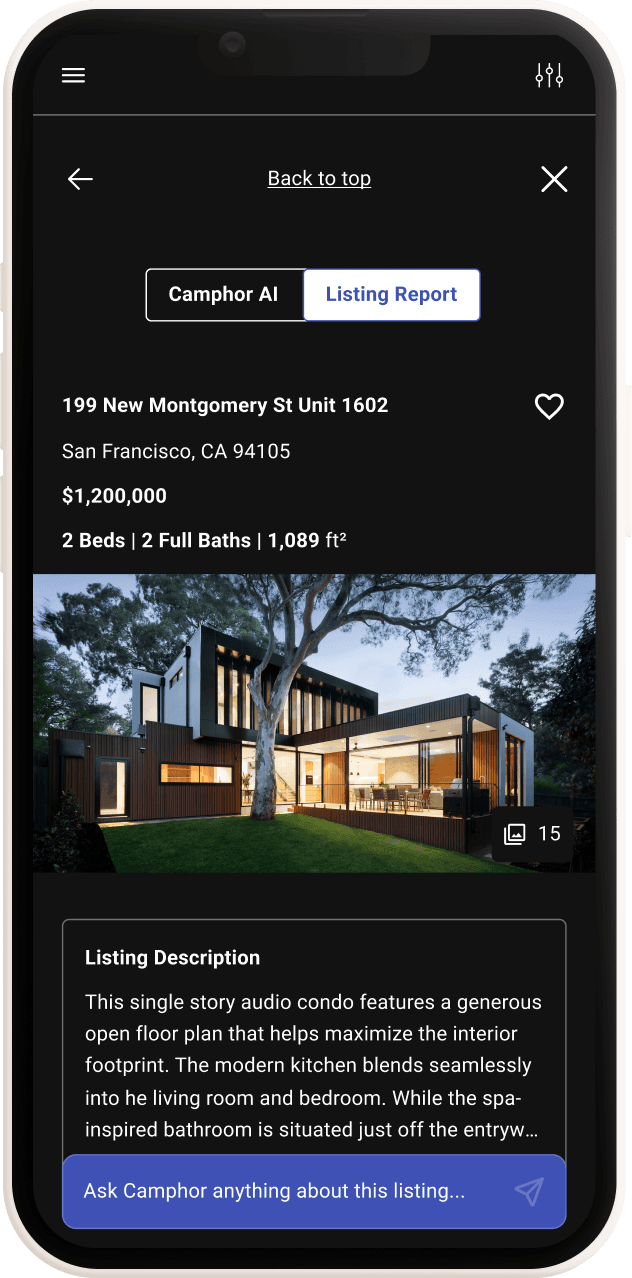
Design Camphor's property listing page
We did this by using research insights to guide layout, content hierarchy, and data visualization, and made Camphor's property listing page easier for homebuyers to read, scan, and act on.
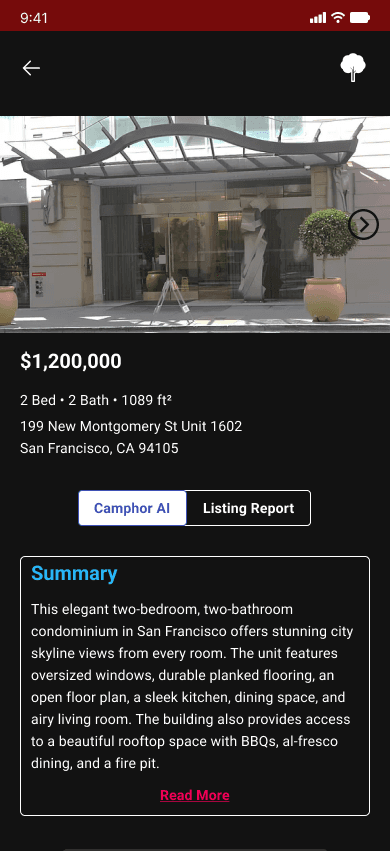
Getting to know our users
Who did we interview?
We interviewed 9 people who had recently bought a home or were actively looking to buy. Camphor had existing research we were able to build on — we reinforced key insights, filled in the gaps, and developed real empathy for what homebuyers are actually going through.
Who did we design for?
Alex, The Anxious Buyer "Purchasing property is a little scary because there's a lot to consider since it's my first time." A first-time buyer who can be easily overwhelmed by too much information at once.
Sarah, The Mindful Buyer "I want to see more information about the history of the house." A seasoned searcher who knows what she wants but can't find a platform specific enough to deliver it.
How can we help them?
Buying a home is one of the most personal, high-stakes decisions a person can make. The process creates real uncertainty — will this home fit my life, my family, my commute? Our goal was to give homebuyers like Alex and Sarah the confidence to explore their options without feeling overwhelmed. These insights shaped two clear objectives — redesigning the property listing page and improving how filters are organized in Camphor Search.
Ideation
Mobile first
With so much information to present, we committed to mobile-first — getting the hierarchy right on the smallest screen before scaling up.
Sketching
We each sketched ideas independently based on Camphor's existing product, then came together to pull the best concepts, cut what didn't fit, and narrow down to what was feasible within our scope.
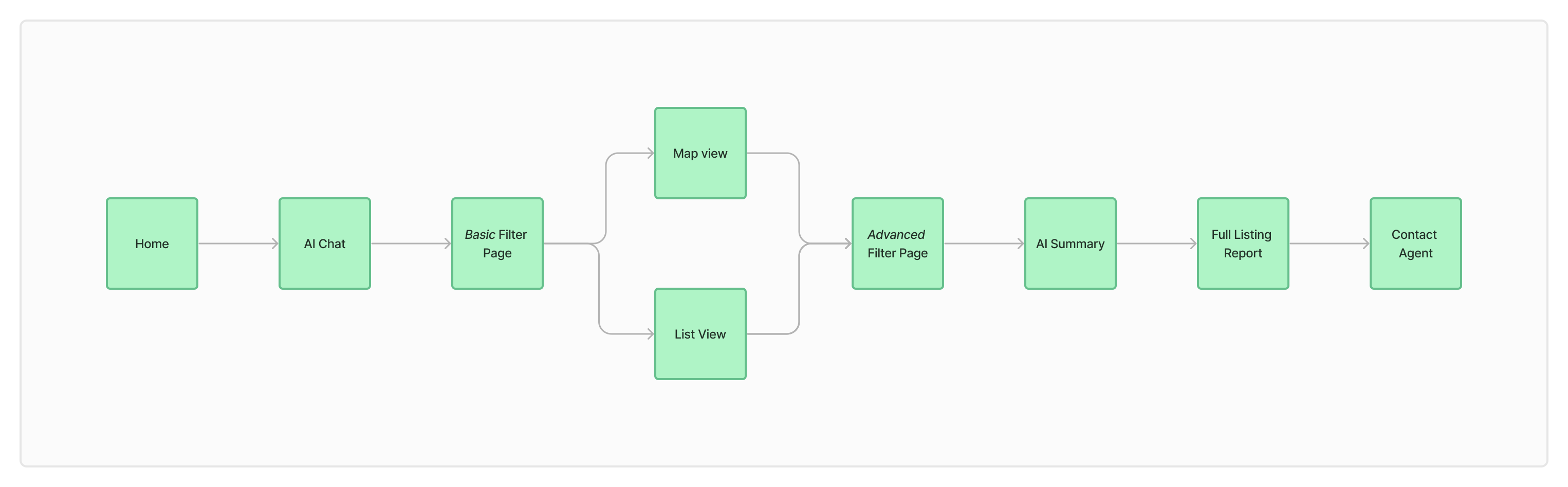
Task flow
We mapped out our own task flow to confirm we had the right screens and weren't missing any critical steps in the homebuyer journey.
Mid-fidelity wireframes
The problem and the challenge
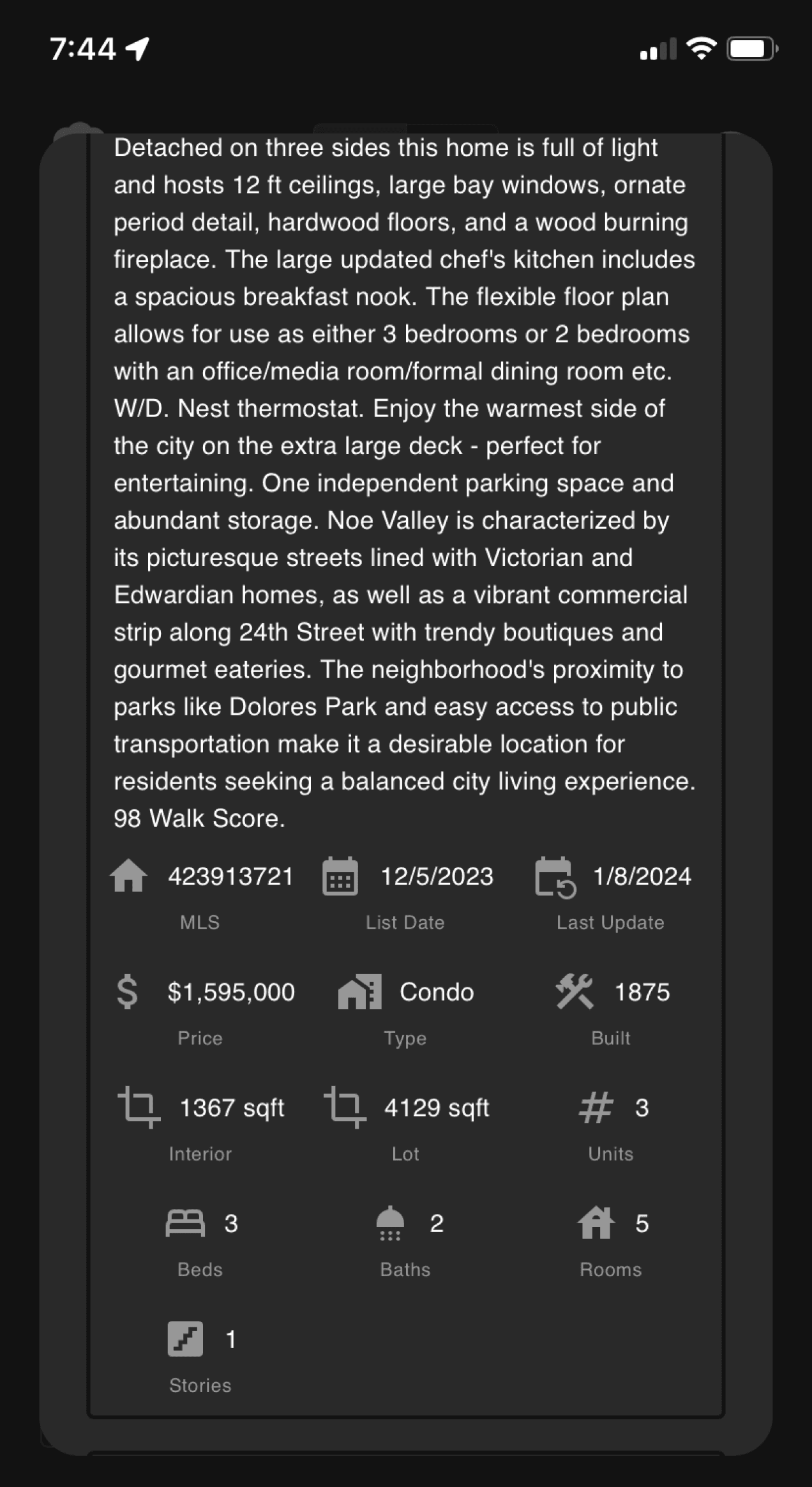
The real problem of the original design was not a lack of information, but too much of it with no clear hierarchy. Every section competed for attention equally, making it nearly impossible for a homebuyer to know where to start or what actually mattered to them.
Our biggest challenge was figuring out how to condense the listing page without stripping away the details that could make or break a homebuyer decision. We didn't want to hide information; we wanted to make it easier to get to.
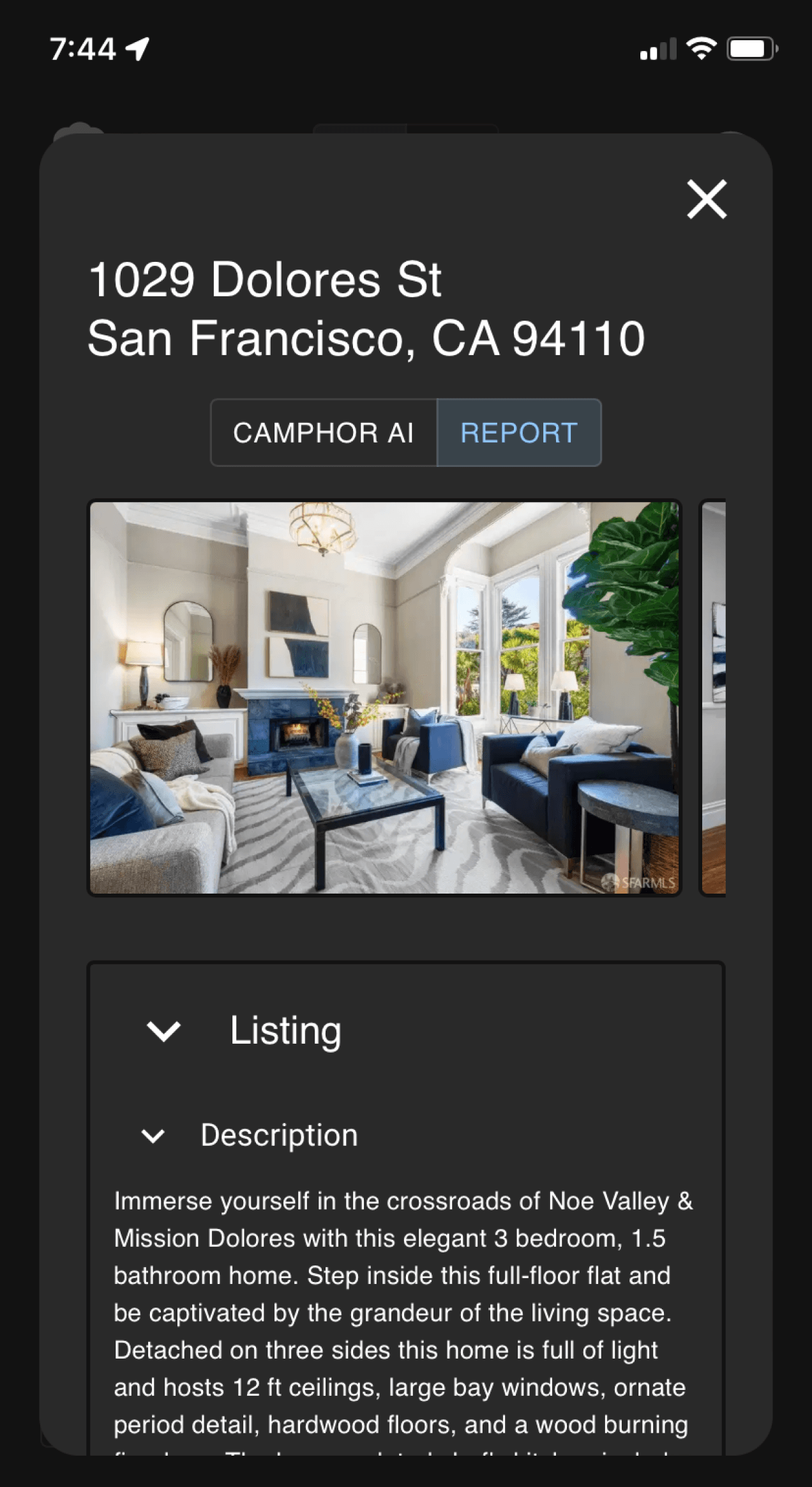
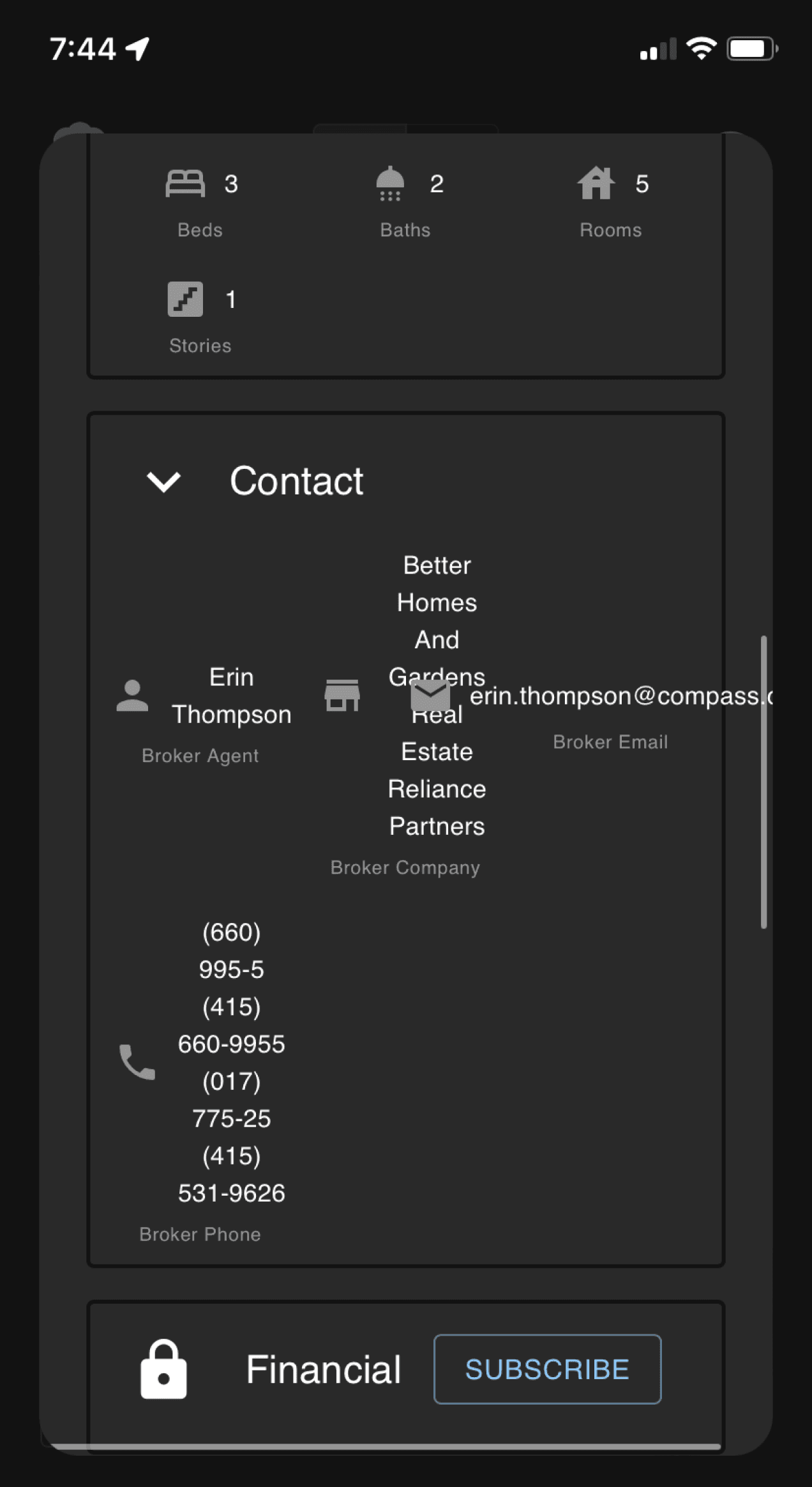
Before
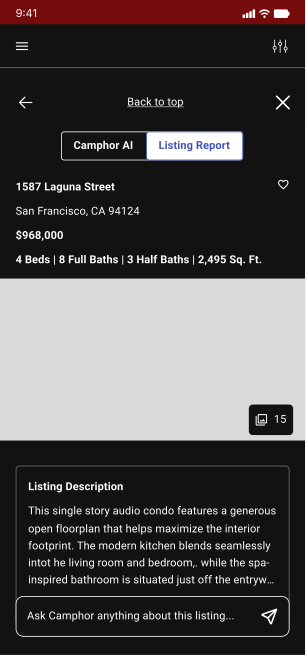
After
The solutions
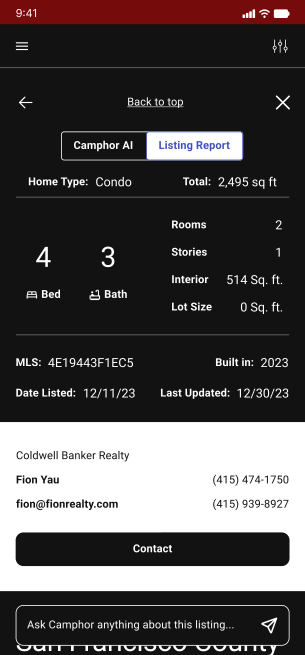
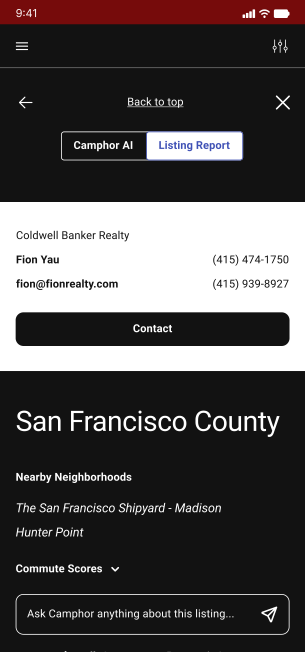
Sectioning — Grouping related information together so users aren't jumping between unrelated data points.
Condense — Collapsing secondary information so buyers can choose what they dig into, and lean on the AI tool to go deeper when they need to.
Left-Align — Moving away from stacked, center-aligned groupings to a left-to-right reading pattern that feels natural and scannable.
We also explored designing more deeply around the AI chatbot experience, but scope kept us focused on the listing page UI, which was the right call given the time we had.
How would we know if our designs are user friendly?
We built a mid-fidelity prototype to pressure test our decisions with stakeholders and set up future usability testing
Hi-fidelity wireframes
The problem and the challenge
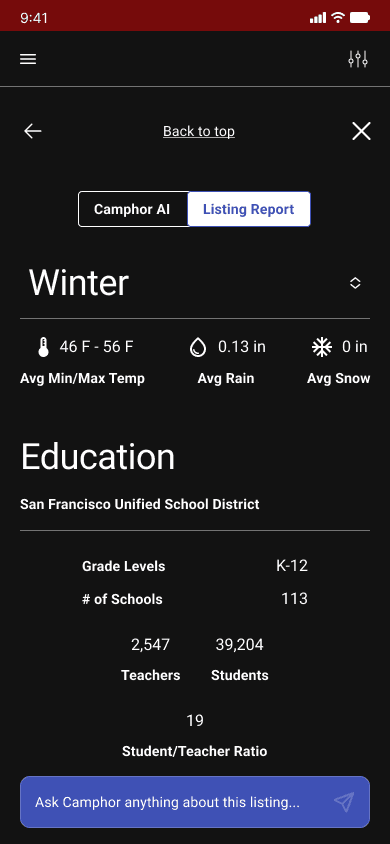
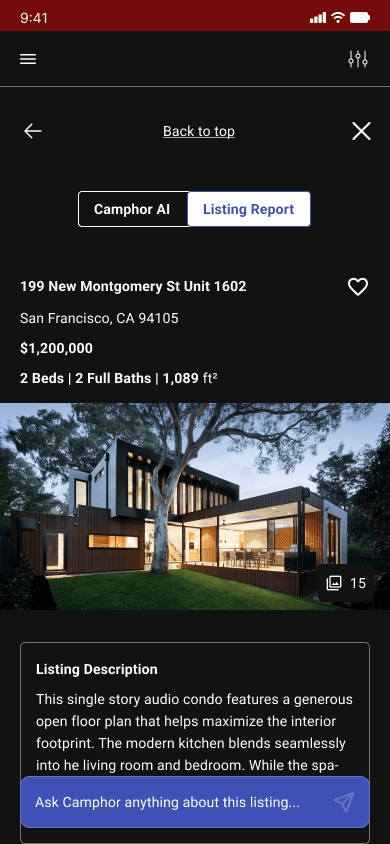
Taking our mid-fi decisions into high fidelity, the difference is immediate. The listing page went from a wall of competing information to a structured, scannable experience — with the most requested data points surfaced to the top and a clear entry point to the AI chatbot for buyers who want to dig deeper.
Before
After
Before
Content stacked with no clear hierarchy
Unrelated information grouped together
AI chatbot buried and hard to reach
Dense and difficult to scan
After
Most important information floated up
Related content sectioned and grouped
AI chatbot accessible and prominent
Clean, readable layout that guides the eye naturally
Reflections
What I'd keep
Pivoting to mobile-only was the right call. A well-considered mobile design is worth more than two rushed ones, and the foundation we built is strong enough to extend to desktop in the next sprint. Keeping our focus on three clear priorities — first-time user onboarding, a direct path to contacting an agent, and data digestibility — meant the work we did ship was purposeful.
What I'd do differently next time
We duplicated research that our client had already done. It cost us time we could have spent completing more of our objectives, including the Camphor Pro upsell work we had to cut. Going forward, the first step is always to audit what already exists before planning a research sprint. Trust the work that's already been done, fill the gaps, and use the extra bandwidth to go deeper on design.
Design direction & next steps
Building on the foundation
Desktop designs are the natural next phase as the mobile foundation is solid enough to build from
Usability testing to measure task completion and spot where buyers drop off
A dedicated sprint for Camphor Pro upsell moments, starting with a deeper understanding of what Pro actually offers users
Onboarding design to ease first-time users into Camphor's AI search capabilities
UX writing and interaction design to make the experience feel less clinical for buyers like Alex



Next project
HP (HyperX)
I teamed up with a UX researcher to explore how gamers adapt to new hardware, prototyping smoother onboarding experiences that help them level up their gameplay.